Learning Center
Learn EscapeMaker
Step by Step
From your first scene to expert-level event chains — every feature covered with hands-on walkthroughs.
Video Tutorials
Watch a full game built start to finish, plus every puzzle and tool.
 ▶
▶Make Your First Escape Game
Getting Started
 ▶
▶The Event System
Techniques
 ▶
▶Animate an Object with an Event
Techniques
 ▶
▶Combo Lock Puzzle
Puzzles
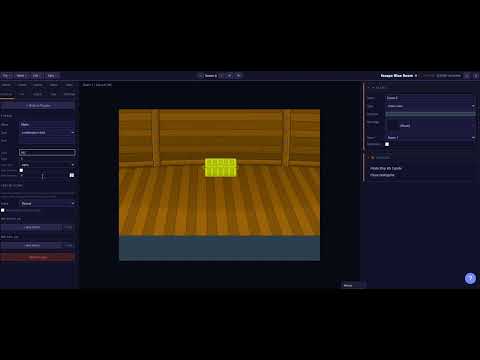 ▶
▶Alpha Combo Puzzle
Puzzles
 ▶
▶Pattern Match Puzzle
Puzzles
 ▶
▶Sequence Puzzle
Puzzles
 ▶
▶Wires Puzzle
Puzzles
 ▶
▶Jigsaw Puzzle
Puzzles
 ▶
▶Slider Lock Puzzle
Puzzles
 ▶
▶Image Button Puzzle
Puzzles
 ▶
▶Pipe Puzzle
Puzzles
 ▶
▶Item Slots Puzzle
Puzzles
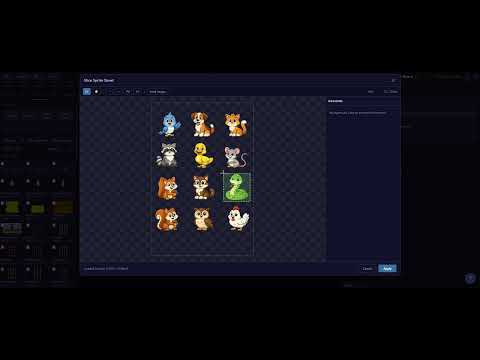 ▶
▶Sprite Sheet Slicer
Tools
 ▶
▶Multi-Frame Objects
Tools
All Tutorials
Quick Start
Intermediate
Expert
Quick Start
No experience needed. Build your first working escape game in under an hour.
Creating Your First Game with the Wizard
Use the New Game Wizard to set a name, choose how many scenes, pick background images from the library, and launch straight into the editor.
→
The Editor — Layout & Essential Tools
A tour of every panel: the scene list, canvas, property panel, layer panel, and toolbar. Learn to place objects, move them, and resize them.
→
Scenes, Rooms & Navigation
Create multiple scenes, understand the different scene types (room-view, close-up, shop), organize them into rooms, and wire up navigation arrows so players can move around.
→
Your First Puzzle — Combination Lock
Add a combination lock puzzle to a scene, set the solution code, attach an event so something happens when it's solved, and test it in the browser.
→
Testing & Exporting Your Game
Use the Test button to play your game in-editor, understand the Export dialog options, and get your game ready to share or embed on any site.
→
Intermediate
You know the basics. Now add real game logic — events, inventory, puzzles, and polish.
The Event System — Triggers, Conditions & Actions
Master the core logic engine. Learn every trigger type, how to stack conditions, and build action sequences that show/hide objects, play sounds, navigate scenes, and more.
→
Inventory — Items, Combinations & Collectibles
Define items, make objects pickable, combine items to create new ones, use items on objects to unlock things, and scatter collectible coins and gems through your game.
→
All 9 Puzzle Types — Complete Guide
Step-by-step setup for every puzzle: Combination Lock, Pattern Match, Sequence, Wires, Jigsaw, Item Slots, Slider Lock, and Image Button — with config tips for each.
→
Assets & the Global Library
Upload your own images and sounds, organize them with tags and categories, use the global shared library, and manage per-game assets vs. reusable library entries.
→
Dialogue, Narration & Story Text
Trigger dialogue overlays with speaker names and portrait images, chain multiple lines of dialogue, and use text objects and buttons to add narrative to your game.
→
Sound — Music, Ambient & Effects
Add background music and ambient sounds per scene, trigger sound effects from events, manage audio loops, and keep your game's soundscape immersive.
→
Intro Wizard — Multi-Step Intros
Build a multi-step intro that plays before your game — a full-screen image and caption per step. Set click-to-advance, auto-advance, a click guard, and where the intro hands off.
→
Expert
Deep dives into advanced features. Build complex logic, animations, and polished published games.
State Variables & Advanced Conditions
Use custom state variables to track anything — doors opened, notes read, buttons pressed. Build multi-condition event gates and create logic that spans your entire game.
→
Templates — Reusable Objects & Events
Create object templates to stamp consistent elements across scenes. Use event templates to reuse action sequences. Override properties per-instance without breaking the template.
→
Timeline — Frame Animations & Sequences
Use the Timeline panel and Frame Editor to animate objects: move, rotate, scale, and fade them over time. Trigger animations from events and build cinematic moments.
→
Draggable Objects & Snap Targets
Make objects draggable by the player, define snap zones where they lock in place, and fire events when a drag target is reached — perfect for slider and placement puzzles.
→
Scene Map — Visual Game Flow Planning
Use the Scene Map node editor to visualize your entire game's structure, rearrange scenes visually, see which scenes are connected, and spot lock icons where puzzles gate navigation.
→
Visual Filters & Effects
Apply bloom, blur, glow, pixelate, and other Pixi filters to objects and scenes. Create atmosphere, highlight interactive elements, and build polished visual styles.
→
Polish, Publish & Game Settings
Complete game settings: custom fonts, player themes, menu screen, end screen, walkthrough hints, thumbnail editor, and publishing to the EscapeMaker portal.
→
Newgrounds Integration — Medals & Scoreboards
Connect your game to Newgrounds.io to award medals when players solve puzzles or complete the game, and submit times to a scoreboard leaderboard.
→
No tutorials matched your search.
Try a different keyword, or clear the search to see all tutorials.
Ready to build your game?
Everything you need is in the editor. Start with the Quick Start track if you're new, or dive straight in.